

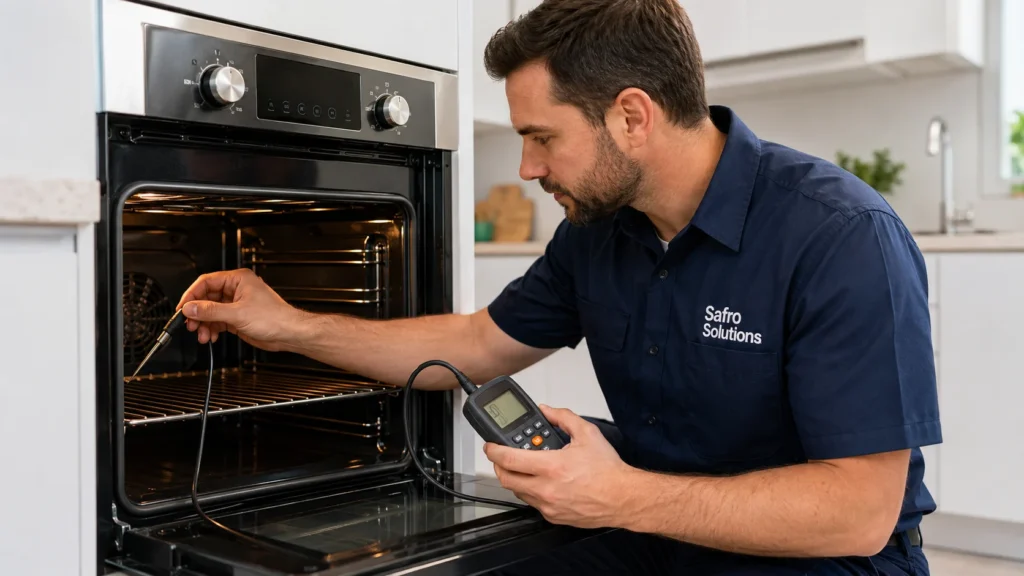
Last updated: September 21, 2026 · Written by the licensed technician team at Safro Solutions (CA Contractor License #A 50901), Valley Village, CA.
Direct Answer
Most ovens can be corrected up to 35°F hotter or cooler using the oven’s temperature offset. If your oven is off by 15°F or more, calibrate it. If it is off by more than 35°F, or keeps drifting after you adjust it, a failing temperature sensor, heating element or control board is likely and it needs a technician from a trusted local expert like Safro Solutions.
Introduction
Understanding how to calibrate oven temperature is important because even small temperature inaccuracies can completely affect cooking results. A slightly inaccurate oven can burn food on the outside while leaving it raw inside, or increase cooking time significantly.
Oven temperature drift happens naturally over time due to repeated heating cycles, sensor degradation, thermostat misalignment, and general wear of internal components.
In this guide, you will learn how to test, calibrate, and adjust oven temperature step-by-step. You will also learn brand-specific calibration methods for Samsung, Whirlpool, GE, LG, Bosch, Frigidaire, and Maytag ovens. Finally, you will understand when DIY calibration is not enough and when to call professional repair experts like Safro Solutions Appliance Repair in Los Angeles.
Signs Your Oven Temperature Is Off
If your oven is not maintaining proper temperature, you will notice clear warning signs:
- Food burns on the outside but remains raw inside
- Uneven baking results across trays
- Longer than normal preheating time
- Temperature fluctuates during cooking cycles
- Recipes fail even when instructions are followed correctly
These symptoms strongly indicate calibration issues or internal component failure.
Is It Normal for an Oven to Be Off by 25–50 Degrees?
Yes — slight temperature variation is completely normal.
- 10–15°F difference → Normal operation
- 15–35°F difference → Calibrate the oven
- Over 35°F difference → Likely hardware failure
However, consistent large deviations usually indicate deeper mechanical issues rather than normal behavior.
How to Test Your Oven Temperature
🔹 Method 1: Using an Oven Thermometer
- Place an oven thermometer at the center rack
- Set oven temperature to 350°F
- Wait 20 minutes after full preheating
- Compare actual temperature vs set temperature
- Repeat at 250°F and 450°F for full range accuracy
This is the most accurate calibration test method used by professionals.
🔹 Method 2: Without a Thermometer
If you do not have a thermometer, buy one. A basic oven thermometer costs a few dollars and is the most reliable check.
Thermometer Placement Tip
Always place the thermometer at the center rack, away from walls or heating coils, for accurate readings.
How to Calibrate Your Oven (Step-by-Step)
How to Calibrate a Digital Oven
To calibrate a digital oven, test it with an oven thermometer at 350°F, note how far off it is, then open the oven’s settings and enter that difference as a temperature offset. Most ovens allow up to 35°F hotter or cooler. Save it, then retest.
- Test first. Put an oven thermometer on the center rack and set the oven to 350°F. Wait for the preheat signal, then read the thermometer. Whirlpool suggests calibrating if the reading is 15°F or more above or below 350°F.
- Work out the offset. If the oven reads 25°F cooler than set, you need +25°F. If it reads 20°F hotter, you need -20°F.
- Open the oven’s settings. On touchscreen and menu models look under Settings or Options for a menu named Thermostat Adjustment, Temperature Offset or similar. The name differs by brand. Button models use a key combination listed in the manual (see the GE and Samsung steps below).
- Enter the offset and save. Confirm the direction (plus for hotter, minus for cooler), enter the number of degrees, and save.
- Retest at 350°F. If the reading is still off, adjust in smaller steps and retest. Check again at 250°F and 450°F if you bake at those temperatures.
Good to know: on Samsung and GE ovens the adjustment does not change broil or self-clean temperatures, and it is kept in memory after a power cut. If the oven is off by more than 35°F, the offset cannot correct it, which usually means a sensor, element or control board problem.
How to Calibrate a Samsung Oven
Samsung ovens can be adjusted up to 35°F hotter or cooler. On models with a display, open Settings or Options and choose Thermostat Adjustment. On button models, press and hold two buttons together until the display shows ADJ 0. Then set the change and confirm.
Display models (touchscreen or menu):
- Open the oven’s Settings or Options menu.
- Select Thermostat Adjustment.
- Choose the direction: positive to make the oven hotter, negative to make it cooler.
- Enter the number of degrees (up to 35°F).
- Confirm or save.
Button models:
- Press and hold the two buttons your manual names (for example Broil and 1) until the display shows ADJ 0.
- Switch between positive and negative.
- Enter the adjustment.
- Confirm.
Two Samsung tips: the exact button pair depends on the model, so check the manual for your range. Samsung’s own guidance is to work out the change by baking a familiar recipe and noting whether it comes out too dark or too pale, rather than relying on a store-bought oven thermometer, which can itself be inaccurate. If you use a thermometer, use a good one and test at more than one temperature.
Calibrating GE, Whirlpool, Bosch and Other Ovens
| Brand | How it works | Adjustment range | Note |
|---|---|---|---|
| GE (number pad models) | Press Bake and Broil Hi/Lo together and hold about 2 seconds until the display shows SF. Press Bake, then enter the change (Bake once for hotter, twice for cooler). Press Start to save. | ±35°F | Does not affect broil or self-clean temperatures |
| Whirlpool (digital) | Follow the calibration menu in the owner’s manual. Use the arrows to raise or lower, then press Start to save. | Per manual | Whirlpool says to calibrate when off by 15°F or more |
| Whirlpool (analog, electric only) | Remove the knob, turn the adjustment screws on the back in very small steps (about an eighth of a turn), retest each time | Small steps | Do not do this on a gas oven |
| Bosch | Bosch’s support page gives no user calibration steps. Check your manual. Convection modes can lower the set temperature by about 15°F automatically, and blocked shelves or foil can change results. | Per manual | Leave 2 inches of clearance around shelves |
| LG, Frigidaire, Maytag, Kenmore and others | Look for a temperature offset in the settings menu, or the calibration steps in the manual for your exact model | Per manual | If your model has no offset, use a technician |
Steps vary by model, so check your manual. Sources: GE Appliances and Whirlpool.
Mechanical Oven Calibration (Older Units)
Older ovens require manual adjustment:
- Remove temperature knob
- Locate calibration screw behind dial
- Adjust slightly in small increments
- Test temperature again after adjustment
Mechanical calibration requires patience because small changes can significantly affect heat output.
How to Calibrate a Gas Oven
A digital gas oven is calibrated the same way as an electric one, through the settings menu offset. A gas oven with a dial and no display should not be adjusted at home, because the thermostat is tied to the gas valve. Test it with a thermometer, rule out simple causes, and call a technician if it is still off.
- Test with an oven thermometer. Hang it from the middle-front of the center rack at 350°F, wait for the preheat signal, and read it. Repeat at 250°F and 450°F.
- If the oven has a digital control, use the offset steps in “How to Calibrate a Digital Oven” above.
- If it is a dial-only gas oven, do not turn screws or touch the gas valve. Whirlpool advises contacting a certified technician for non-digital gas ovens because the process is more complex.
- Check the simple causes first: a loose or worn door seal, a bake burner with clogged ports, foil or pans blocking the bottom of the oven, and preheating that was cut short.
- Watch the igniter. A weak igniter that takes a long time to glow and open the gas valve will make the oven slow to heat and hold a lower temperature.
Call a technician if: the oven is off by more than 35°F, it is off by 100°F or more (Whirlpool advises not to self-calibrate at that point), the flame looks uneven or yellow, or the temperature swings from cycle to cycle. If you smell gas, stop. Turn off the gas at the valve, open windows, leave the house, and call your gas utility from outside.
Convection Mode Adjustment
Convection ovens circulate hot air, which changes cooking behavior:
- Faster cooking time
- Slight temperature difference (10–20°F lower needed)
Many modern convection ovens include built-in offset calibration to compensate automatically. Bosch says convection modes can lower the set temperature by about 15°F automatically.
What Causes an Oven to Lose Calibration?
Several internal issues can cause oven temperature drift:
- Temperature sensor failure
- Heating element wear
- Thermostat malfunction
- Control board issues
- Door gasket leaks
- Gas ignition inconsistency
When It’s Beyond DIY — Call a Technician
DIY calibration is NOT enough when:
- Temperature is off by more than 35°F
- Calibration resets automatically
- Oven heats unevenly across racks
- Error codes appear
- Oven stops heating above 300°F
- Fan runs but no heat is produced
- Gas smell is detected
At this stage, internal component failure is highly likely.
Oven off by more than 35°F, or still drifting after you calibrate it? That usually points to a failed temperature sensor, heating element or control board, and the offset setting cannot fix it. Safro Solutions tests the part before replacing it, with same-day oven repair in Los Angeles. Call (747) 250-6879.
Professional diagnosis from Safro Solutions ensures safe and accurate repair without further damage.
How Much Does Oven Temperature Repair Cost?
Repair cost depends on the faulty part:
- Temperature sensor replacement → low cost
- Thermostat repair → moderate cost
- Heating element replacement → mid-range cost
- Control board repair → high cost
If repair cost exceeds 50% of appliance value, replacement may be more cost-effective.
How to Keep Your Oven Accurate
To maintain proper calibration:
- Test oven temperature every 6–12 months
- Avoid excessive self-clean cycles
- Clean interior regularly
- Avoid slamming oven door
- Replace worn door seals early
Regular maintenance ensures long-term accuracy and better cooking performance.
Oven Still Off After Calibrating? Call Safro Solutions
If your oven temperature is off by more than 35°F, keeps drifting after calibration, or cooks unevenly, it usually indicates a failing sensor, thermostat, heating element, or control board. A professional diagnosis ensures accurate detection and safe repair of the root problem.
Safro Solutions
Valley Village, Los Angeles, CA 91607, USA
📞 747-250-6879
Find Us On Google Maps: https://maps.app.goo.gl/Tdof4dD9BS5Tk1i2A
Book expert oven repair today for fast, reliable service and restore perfect temperature control in your kitchen.
Frequently Asked Questions
Q1: Can I calibrate my oven temperature myself?
Yes, most modern ovens support calibration. However, recurring issues require professional diagnosis.
Q2: Is it normal for an oven to be off by 50 degrees?
No. A difference of 10–15°F is normal. From 15°F up, calibrate the oven. If it is off by more than 35°F, calibration cannot correct it and the oven likely needs repair.
Q3: Why is my oven not heating properly but the fan works?
This usually means the convection fan works but the heating element or igniter is faulty.
Q4: How do I test oven temperature without a thermometer?
Use a basic oven thermometer, which costs a few dollars and is the most reliable check. Place it on the center rack and set the oven to 350°F. Sugar and biscuit tests are too rough to calibrate with.
Q5: How much does it cost to fix oven temperature issues?
Cost depends on parts. Sensors are cheaper; control boards are more expensive.
Q6: How do I calibrate a Samsung oven?
On Samsung ovens with a display, open Settings or Options, choose Thermostat Adjustment, set the change (up to 35°F hotter or cooler) and save. On button models, press and hold the two buttons named in your manual until the display shows ADJ 0, then enter the change.
Q7: How do I calibrate a gas oven?
A digital gas oven is calibrated through the offset in its settings menu. A dial-only gas oven should be adjusted by a certified technician, because the thermostat is tied to the gas valve. First test the oven with a thermometer and check the door seal, the bake burner and the igniter.
Q8: How much can I adjust my oven temperature?
Most Samsung and GE ovens allow up to 35°F hotter or cooler. Whirlpool suggests calibrating when the oven is 15°F or more off. If the oven is off by more than 35°F, calibration cannot correct it and the oven likely needs repair.